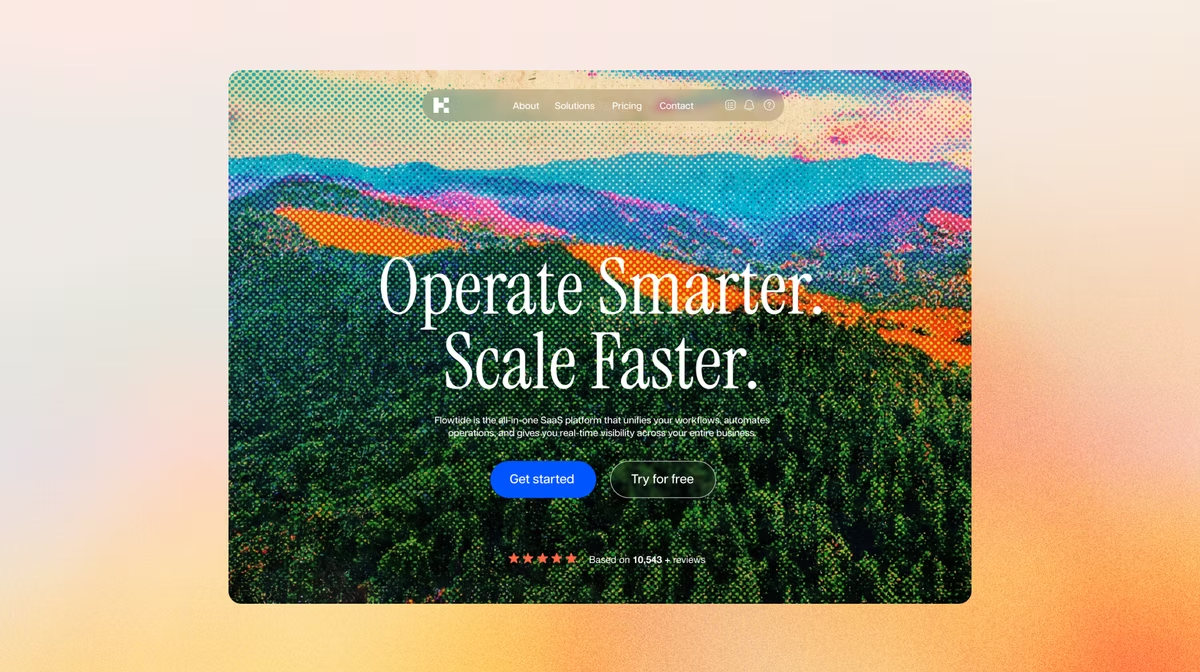
Building a website used to mean confusing software or hiring expensive pros. Now, learning how to create a website with AI puts the power of an AI website builder in your hands. You type a few sentences about what you need and intelligent tools generate a layout, write the text and pick the images for you in seconds.
Before you start, it's worth spending a few minutes thinking about what you actually want your website to do. Who's it for, what's the one thing you want visitors to walk away with, and which pages do you need (about, services, contact, blog)? You don't need a detailed plan: even a rough idea of your audience and your top three pages will dramatically improve what the AI generates from your first description.
The result looks professional immediately, leaving you with the fun part – tweaking the colors and adding your personal touch. Base44's AI website builder creates responsive websites from a text description, handling layout logic and responsiveness automatically.
What is an AI website builder?
An AI website builder is a platform that uses AI to handle website creation tasks for you, including layout design, content generation and structure. Instead of dragging and dropping elements or writing code, you describe what you want in plain language and the AI builds a working website from that description.
AI website builders like Base44 go further than most: they generate a fully functional, hosted, full-stack website from a plain-language description, handling the backend, database, authentication and front end simultaneously. The result is a live, professional website you can refine through conversation, without touching a single file.
Base44 is an AI website builder that generates a complete, hosted website from a plain-language description: pages, copy, database, authentication and responsive design, all in one go.
Expert insight:
"Our market is massive. It has the potential to replace entire software categories by enabling people to create software instead of buying it." (Maor Shlomo, Founder and CEO of Base44)
How to create a website with AI in just 5 steps
TL;DR: How to create a website with AI
| Step | What to do |
|---|---|
| 1. Choose an AI website builder | Pick Base44 or another AI builder that goes beyond drag-and-drop |
| 2. Describe your website | Tell the AI your business, audience and vibe in plain language |
| 3. Review the structure | Check the layout and navigation flow |
| 4. Customize the design | Add your images, edit copy and adjust colors |
| 5. Publish | Connect your domain and go live |
- Choose an AI website builder
- Chat with the AI
- Select your website structure
- Customize the website design
- Connect and publish your website
01. Choose an AI website builder
The first step is picking the right AI website builder like Base44. You want a builder that understands design principles, not just one that throws elements on a page. A great AI website builder looks at your industry and goals to suggest layouts that actually make sense for your visitors.
Look for a tool that offers flexibility after the initial build. Some AI tools lock you into the first result they give you, which can be frustrating. Base44, for example, lets you use AI as a starting point but gives you total freedom to move things around later. You want smart automation, not a straightjacket.
Learn more:
02. Chat with the AI
With Base44, you start by typing what you want to build in your own words. There's no questionnaire to fill out. Just describe your website idea in plain language, like 'an artisan bakery in Austin specializing in sourdough and wedding cakes with a rustic, cozy vibe,' and the AI gets to work immediately.
Instead of just saying 'bakery,' try 'an artisan bakery in Austin specializing in sourdough and wedding cakes with a rustic, cozy vibe.'
Learn more about some of the best AI prompts to build a website.
The more details you provide, the better the output. Think about who your audience is and tell the AI who they are. If you want a fun, energetic website, say that. If you need something serious and corporate, let the AI know because it uses these instructions to pick fonts, color palettes and writing styles for your website that match your brand personality.
Learn more:
03. Select your website structure
Once you describe your website, Base44 builds your website immediately and shows it in the live preview window. You don't choose from multiple variations. Instead, you see a working website right away and refine it through the chat, which is faster than picking between layouts anyway.
Focus on the big picture for now – the tiny details come later.
- Does the layout flow well?
- Is the navigation clear?
Make sure you pick the structure that feels closest to your vision. Remember, you aren't married to this exact design, you're just choosing the skeleton of your website. If the AI puts a Contact Us section at the bottom but you want it at the top, you can move it later. Just look for a strong foundation at this stage of building a website with AI.
04. Customize your website design
Now you take over. The AI has done the heavy lifting but you know your brand best. Base44's AI website builder lets builders customize colors, fonts and spacing in real time. Here are some things you can do or ask the AI website builder to do for you:
- Swap out the stock photos for your own real images to build trust.
- Read through the text the AI wrote – it's usually a great starting point but you should edit it to sound more like you and your brand.
- Ask the AI website builder to regenerate anything that doesn't work for you, functionally or visually.
- If the headline feels flat, ask the AI to rewrite just that one line.
- Change the accent color to match your logo.
05. Connect and publish your website
Before you go live, run through a quick pre-launch checklist. Click every link and button to make sure they go where they should. Preview the website on mobile to confirm nothing looks broken on smaller screens (Base44 adapts your app for mobile automatically but it's worth a look). Test that your contact form actually submits and your images all load. Read through the AI-generated copy and rewrite anything that doesn't sound like you. And open your website in an incognito window to see what a first-time visitor would experience.
A five-minute check now saves you an embarrassing fix after launch. You can use the included hosting with an AI website builder like Base44, or connect your own custom domain (available on the Builder plan and higher) so people can find you easily. This adds a layer of professionalism that helps you look established from day one.
Once you're happy, hit publish. You just figured out how to create a website with AI without touching a single line of code. Your website is live, mobile-friendly and ready for visitors.
Setting up SEO when you create a website with AI
Creating a website is one thing and making sure people can find it is another. When you publish with Base44, your website is live and shareable immediately. To help search engines discover it, connect your domain (a custom domain signals credibility to Google), and make sure each page has a clear, descriptive title and meta description. You can ask Base44's AI chat to review and improve your page titles and descriptions as part of the build. For deeper SEO, consider adding a blog to your website over time because fresh, relevant content helps search engines understand what your website is about and keeps your rankings improving.
Launching your website is just the start and once you're live, keep an eye on how it's performing. Use your Base44 app dashboard to track user activity and spot anything that needs attention. If a page isn't converting or a section feels outdated, ask the AI to update it.
You can make changes just as easily after launch as you did during the build. It's also worth revisiting your website every few months to refresh the copy, update your offerings, and check that all your links and integrations still work. A well-maintained website builds trust with visitors over time and keeps you visible in search results.
What kinds of websites can you build with AI?
Base44's AI website builder handles a wide range of projects, from simple landing pages to full business tools with databases and login. Here are some of the most common builds:
- Business websites. Share your services, team and contact details with a professional layout built from your description.
- Portfolio websites. Present your work with gallery pages and a contact form, styled to match your creative identity.
- eCommerce websites. Sell products with cart, checkout and payment processing built in.
- Landing pages. Single-page websites built to collect leads or launch a product. No bloat, just the conversion path.
- SaaS tools and internal dashboards. Client portals and lightweight web apps with database and login built in.
Whatever you're building, describe it in plain language and Base44 generates the structure. You take it from there.
AI website examples, built on Base44
Portfolio website vibe coded with Base44
This one-page portfolio website presents Prince's web development and design skills with a glassmorphism aesthetic and interactive elements.
Affiliate website vibe coded with Base44
AffiliateHub provides handpicked recommendations, in-depth reviews, and comparison guides to help you find the perfect SaaS products, marketing tools, and productivity solutions.
Construction business website vibe coded with Base44
The official website for JCL Pro Services, presenting their construction and maintenance solutions with a modern, professional design.
Learn more about:
How to create a website with AI FAQ
Won't my AI website look like everyone else?
Not if you customize it. While AI gives you a starting point, the combination of your specific description, your images and your text will make your actual website unique. Plus, AI website builders like Base44 offer advanced customization controls so you can break the mold.
Can an AI-built website still rank well in search?
Yes, as long as it's useful to visitors. Search engines don't penalize a website for being AI-built, they penalize thin, low-effort content regardless of how it was made. Once your website's live, connect your domain, write clear page titles and descriptions, and keep adding real content over time (a blog is an easy way to do this). That's what tells search engines your website is worth showing to people.
How long does an AI website builder take to generate a website?
The initial build usually takes between 30 and 60 seconds but it can vary. Most builders then spend about 10–15 minutes refining the AI's work, tweaking the copy, swapping images or moving sections before then going live. But you can spend as long on this part as you need or have available to you.
Can I edit the website after the AI builds it?
Yes, with an AI website builder like Base44 you just describe the changes you need to make the changes or edits you need.
Can I use my own images and other assets?
Of course, most AI website builders also offer stock images or AI image generation but you can also often upload your own too.
How much does it cost to build a website with AI?
Costs vary by AI app builder and how much you need. Most offer a free plan that's great for testing things out, then paid tiers as you need more pages, a custom domain, or advanced features. Base44 has a free plan to get started and flexible paid options as your website grows. Either way, it's still far cheaper than hiring a developer or agency, since you're not paying for design and build time.