HR & Recruitment

Build a comprehensive HR and recruitment platform with these powerful templates. Use them to streamline your own company's hiring process or to create custom HR solutions for other businesses.

suivi personnel  template preview

suivi personnel

$9.99

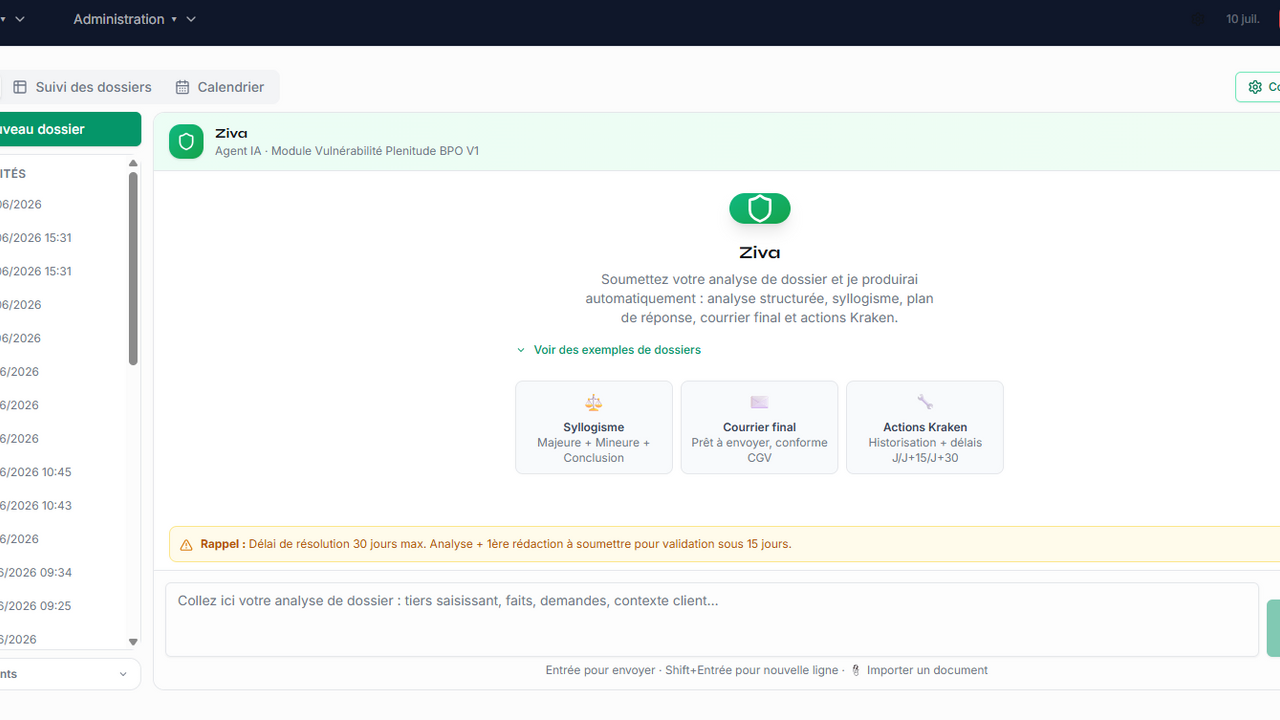
un CRM bien plus qu’un simple outil : c’est un compagnon de productivité , pensé pour aider chaque utilisateur à mieux comprendre son travail, à gagner du temps et à améliorer ses performances au quotidien. Il transforme les données en informations claires, utiles et motivantes , pour que chacun avance avec confiance. 🚀 Ce que ton CRM apporte vraiment Suivi intelligent de la productivité Chaque action saisie se transforme en un tableau de bord visuel, simple et motivant. L’utilisateur voit immédiatement ses progrès et ses points forts. Prime de production calculée automatiquement Plus d’attente, plus d’incertitude : la prime se met à jour en temps réel, selon les règles du métier et les performances du jour. Simulation du salaire avant la paie L’utilisateur peut connaître son salaire avant même de recevoir son bulletin. Une transparence totale, un vrai confort. Préparation automatique du bulletin de paie Le CRM génère une version pré-remplie du bulletin, prête à être vérifiée. Un gain de temps énorme pour les équipes RH et les salariés. 🎓 Fonctionnalités premium qui font la différence Accès à des cours certifiés Une bibliothèque de formations professionnelles intégrée pour progresser, se spécialiser et monter en compétences. Jeux éducatifs intégrés Apprendre, se détendre, renforcer ses réflexes métier… tout est possible grâce à des mini‑jeux pensés pour l’utilisateur. Agent intelligent programmable Un assistant virtuel que l’utilisateur peut configurer selon ses besoins : rappels, alertes, calculs automatiques, tâches répétitives… Il s’adapte au métier et devient un véritable soutien quotidien. 💡 Pourquoi ce CRM est unique Parce qu’il ne se contente pas de gérer des données : il accompagne l’utilisateur, l’aide à comprendre son travail, à anticiper ses résultats, à se former, à s’améliorer… et même à s’amuser.

Mly driss Benmoulay mhand0 clones

HR & Legal · Operations +2

Hawk Sun Circle Map™ Index template preview

Hawk Sun Circle Map™ Index

Free

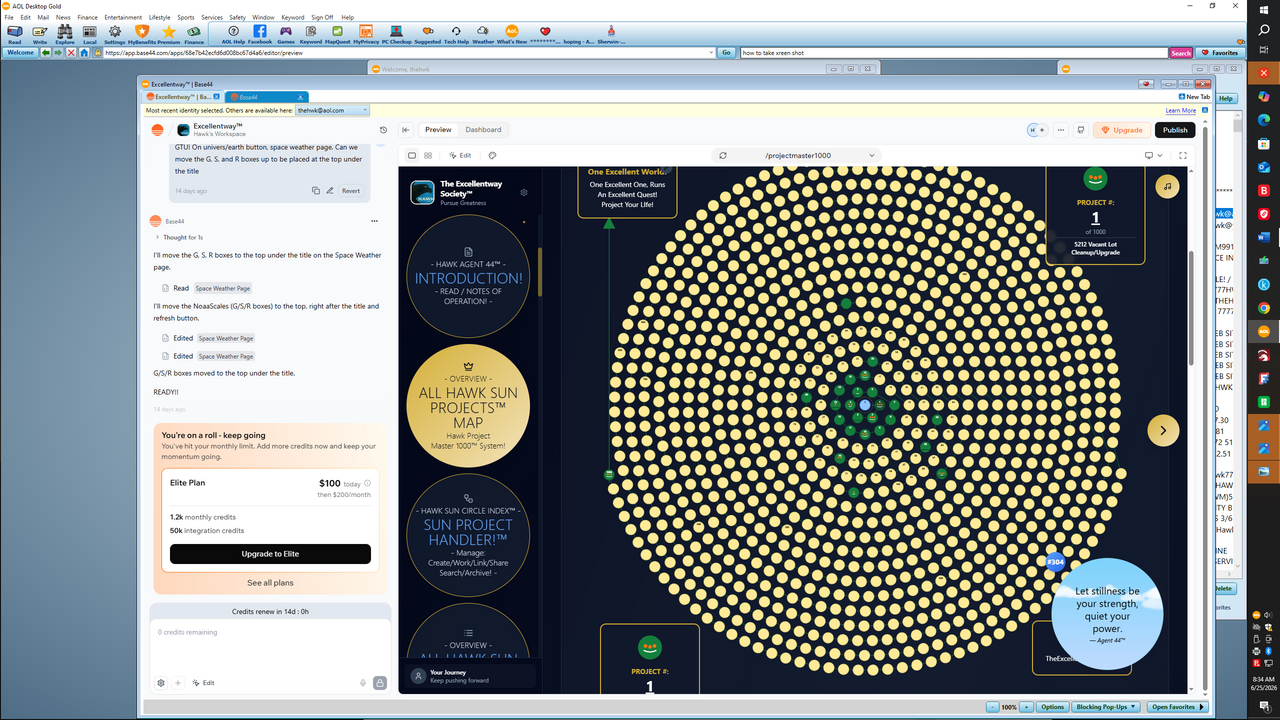
The Hawk Sun Circle Project Map™ The Hawk Sun Circle Project Map™ Index function contains 10,000 placed suns, projects, or items, within 10 pages, having 1000 suns, projects, or items, per page, that can be selected and viewed individually. Along with the Hawk Sun Project Handler™ function, it provides a convenient and fascinating way to view 10,000 projects, circles, or items, 1000 at a time, get some idea of each project, circle, or item, and then select it, or browse through multiple suns, projects, or items, with options to slowly scan the index in a random order, or scan the entire index starting with #1. A wonderful and dramatic display, a great way to view and easily search thousands of items, like never before! FEE: $5000 NOT FOR SALE AT THIS TIME! Hawk and The Excellentway Society App™ or, Hawk Agent 44™, offers you the tools and methods to become more excellent about your life! Agent 44™ is your personal guide to achieving peak performance and living a life of excellence! Track your daily habits, create projects, set ambitious goals, reflect on your journey, consider some little wisdom, and visualize your growth with a suite of elegant tools designed to inspire your pursuit of greatness! Never before in the realm of all mankind has there ever been such an excellent method to organize, document, and encourage the excellence of the human! Get with it! Don't just exist, or just find your way around! Choose an Excellentway™, use Agent 44™! © 2026 Hawk

Hawk TheExcellentwaySociety0 clones

Lifestyle & Hobbies · Education +8

iPort Creative Portfolio template preview

iPort Creative Portfolio

$49

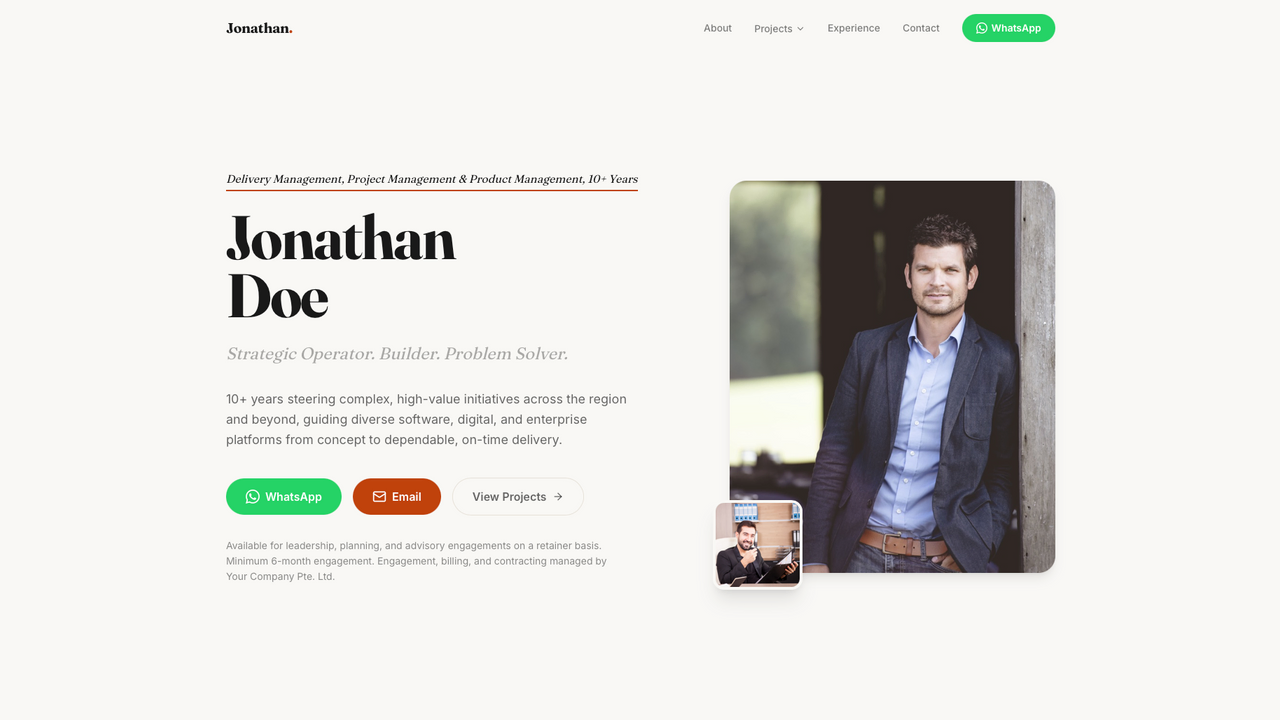
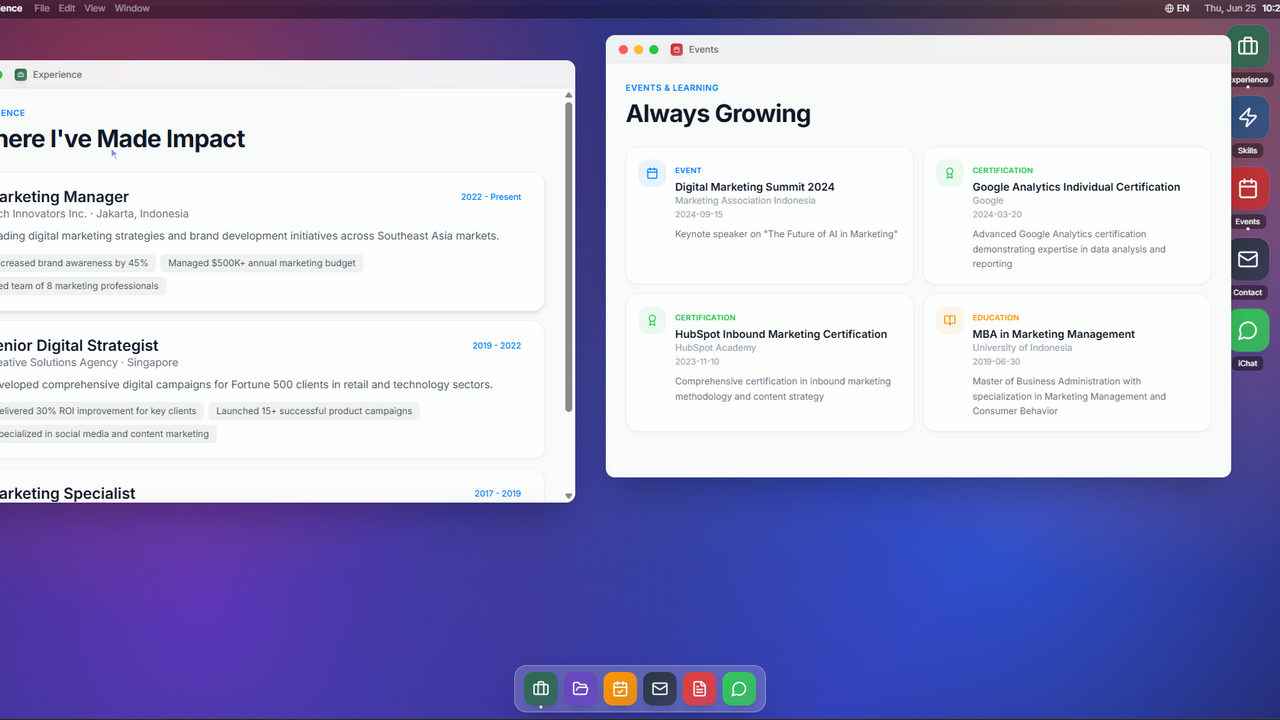
The Ultimate AI-Powered Personal Portfolio Stop settling for boring, static websites that recruiters click away from in seconds. Portfolio Platform is a premium digital ecosystem designed to hook visitors instantly, capture high-quality leads, and automate your professional pipeline. A premium portfolio experience crafted to mirror the sleek elegance of macOS on desktop and the fluid intuition of iOS on mobile. Explore achievements, skills, and case studies through a familiar, interactive ecosystem that is both highly unique and professional. 🚀 Key Features & USPs 🖥️ macOS-Inspired UI: Draggable windows, a custom dock, and smooth animations that maximize visitor retention. 🤖 AI CV Scanner: Upload your CV and let the AI automatically extract data and sync your portfolio in seconds. 💬 Telegram Chat Bridge: Chat with website visitors in real-time directly from your personal Telegram app. 📅 Autopilot Booking: Clients pick a slot, and the system automatically creates Google Meet links via Google Calendar. 🇮🇩 Bilingual Support: Smooth, built-in toggling between English and Indonesian for a global reach. 🔐 Admin Dashboard: Total control over your experience, metrics, case studies, and lead data in one secure place. 🎯 The Bottom Line: One elegant dashboard. Zero missed opportunities. Turn casual visitors into high-paying clients on autopilot. Note: you can chat me for the help or any details about API and connectors! 🍻

Hendri Riyanto0 clones

Lifestyle & Hobbies · Marketing & Sales +3

Nudlo — AI-Powered Team Task Manager template preview

Nudlo — AI-Powered Team Task Manager

$9.99

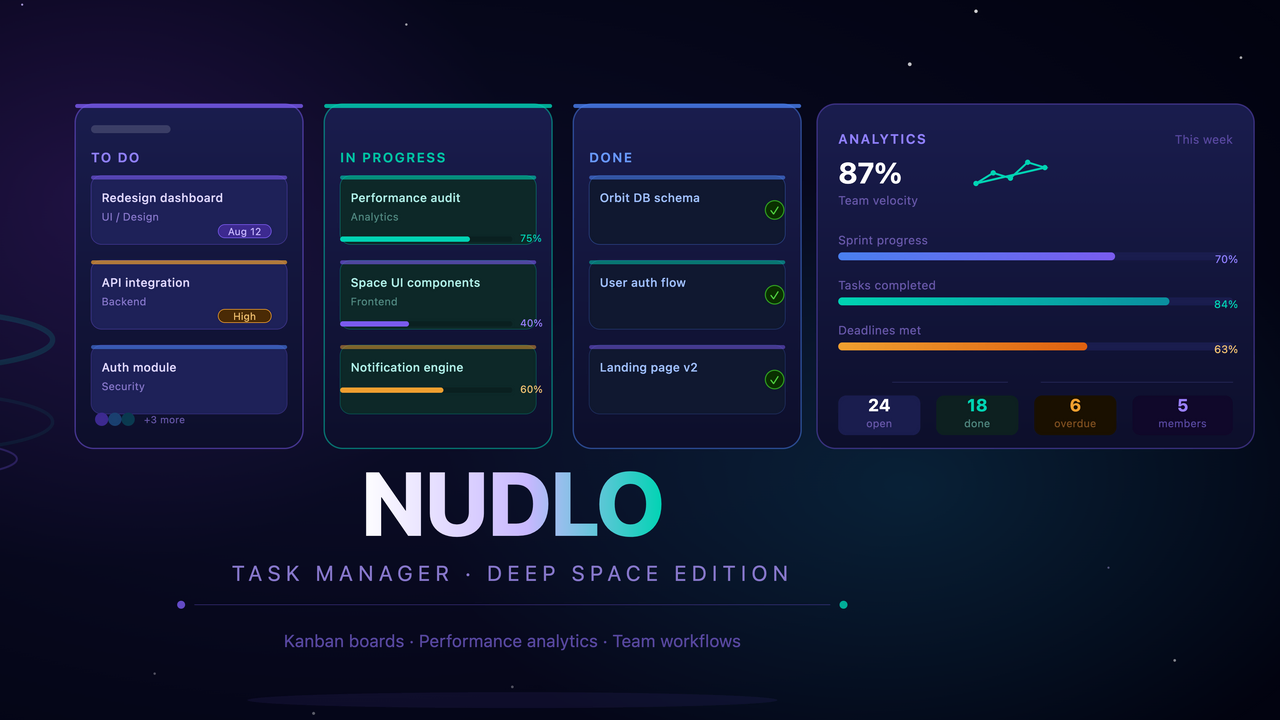
Nudlo is a platform for managing team tasks where artificial intelligence takes care of all the organizational work. Forget about creating tasks manually and long meetings about distributing responsibilities — just record a voice message and AI will handle the rest. How it works You record a voice message with what needs to be done. Nudlo listens, understands the context and automatically creates structured tasks for your team. No more wasting time writing out every point manually — AI does it instantly and accurately. Smart assignment of executors Nudlo doesn't just create tasks — it determines who to assign them to. Based on the skills, current workload and efficiency of each team member, AI assigns the right person for the job. This means tasks always go to those who will handle them best. Analytics and performance growth The platform tracks the work of each team member and collects real data on efficiency. Based on this, Nudlo provides specific recommendations — what to improve, where the bottlenecks are and how to redistribute the workload. You always see the full picture and make decisions based on facts, not guesses. Google Calendar integration All tasks and deadlines are automatically synced with Google Calendar. Nothing gets lost, nothing needs to be transferred manually — the team is always aware of deadlines and priorities. Start the right way When registering, it is important to completely fill out your personal profile — this gives AI the necessary information about each team member. It is based on the profile that Nudlo learns to distribute tasks accurately and efficiently. The more detailed the profile, the smarter the platform works from day one

OTABEK JURAEV0 clones

Operations · Data & Analytics +4

FlowFlow template preview

FlowFlow

$15

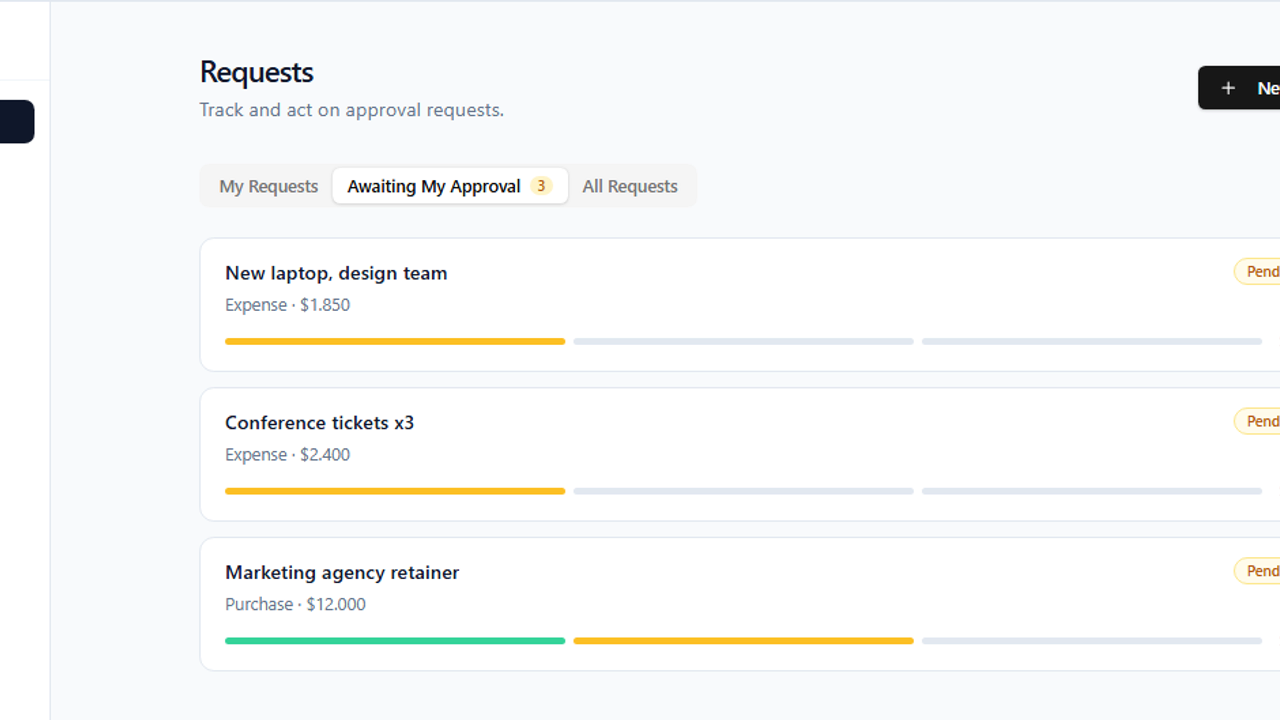
Approvals — Lightweight Approval Workflow Engine Route any request through a configurable chain of approvers, automatically. Approvals is a no-code approval workflow engine built for teams that need controlled sign-off on expenses, purchases, leave, and more — without the overhead of enterprise software. How it works Create a request — any team member submits a request with a title, category, optional amount, and description. Automatic routing — the app matches the request's category to the right workflow and routes it to the first approver in the chain. Smart escalation by amount — each step has a maximum amount that role can approve. If a request exceeds that cap, it escalates to the next approver after the current one signs off. A cap of "unlimited" stops the chain there. Full audit trail — every decision (who, when, comment) is recorded and visible on each request, so nothing is lost. Built for the whole team Requesters create, submit, and cancel their own requests from a clean dashboard. Approvers see a dedicated "Awaiting My Approval" inbox and approve or reject with comments (rejections require a reason). Admins build workflows visually — name a category, add ordered steps with approver roles and amount caps, and toggle workflows on or off. No code required. Why teams choose it Amount-aware routing — no more manual "who needs to approve this?" decisions. The chain escalates itself based on value. Separation of duties — you can never approve your own request, by design. Transparent status — draft, pending, approved, rejected, or cancelled, with a progress bar and a complete decision history on every request. Zero setup friction — workflows are configured in-app by admins; requesters just pick a category and submit. Perfect for finance teams approving expenses, procurement signing off purchases, HR handling leave requests, or any organization that needs structured, auditable approvals.

Anders Thaarup Jensen0 clones

Operations · Finance +1

WorkOS: Workspace and Tasks template preview

WorkOS: Workspace and Tasks

$29.99

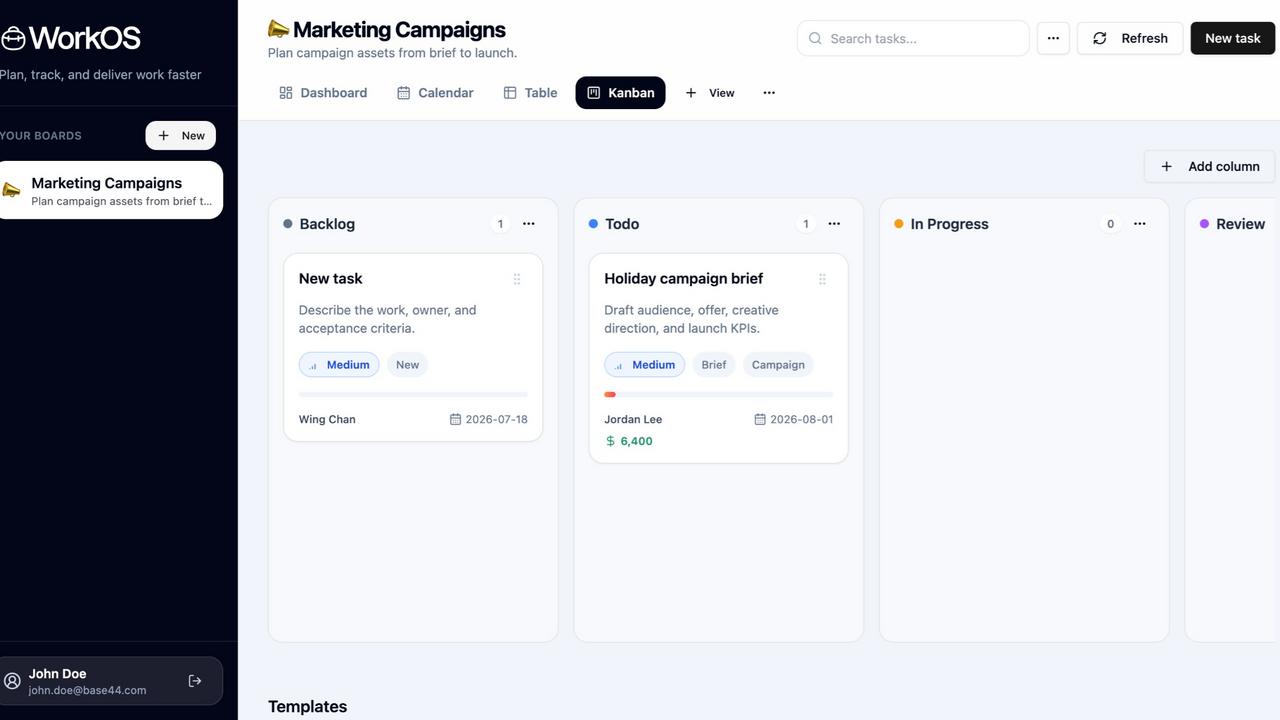
WorkOS is a production-ready workboard and project delivery template built for teams that need to plan, track, share, and manage work in a clean client-facing workspace. It gives users a complete board-based project management experience with saved views, editable tasks, collaboration controls, import/export tools, onboarding templates, and a polished SaaS landing page. This template is ideal for founders, agencies, internal operations teams, consultants, and product teams who want to launch a modern task management or project delivery SaaS quickly on Base44. Instead of starting from a blank CRUD app, WorkOS includes the core workflows users expect from tools like Focalboard, Trello, Asana, and lightweight project portals. Users can create workspaces, organize tasks across Kanban columns, switch between multiple views, open detailed task drawers, add comments and checklist items, share boards with invited editors, restore archived data, and import or export board information. The app also includes authentication-aware routing, public landing page routing, responsive mobile navigation, skeleton loading states, toasts for user actions, and smooth UI transitions. What This Template Does WorkOS helps users manage delivery work from one shared workspace. A user can: Sign up or log in securely Create a workspace from a starter template Manage boards, views, columns, tasks, fields, comments, and activity Share a workspace with collaborators by email Track tasks through Kanban, table, dashboard, calendar, and gallery views Open task details in a right-side drawer Add checklists, attachments, custom fields, priorities, statuses, budgets, dates, assignees, and tags Import existing board data Export board data for backup or migration Archive and restore workspace records Use URL-restorable board, view, and task routes View a polished public SaaS landing page before entering the app Key Features Public SaaS Landing Page Customer-facing homepage at / Modern B2B SaaS layout Conversion-focused hero section Product preview section Clear calls to action Responsive design WorkOS logo support Smooth page transitions and anchor scrolling Authenticated App Under /app Main product app lives under /app Public landing page remains separate from the protected workspace Auth-aware routing Safe login redirects Legacy board URL redirects URL-restorable app state for boards, views, and task detail routes Workspace and Board Management Create new blank boards Create boards from templates Rename boards Duplicate boards Archive boards Restore archived boards Board owner metadata Shared board access metadata Sidebar board switcher Mobile sidebar menu Multiple Board Views WorkOS includes several ways to view the same task data: Kanban view Table view Dashboard view Calendar-style deadline view Gallery/card view Each view can preserve its own configuration, making it easy for users to switch between planning, tracking, reporting, and reviewing work. Kanban Board Drag-and-drop task movement Custom columns/statuses Column color indicators Column task counts WIP limit support Add, edit, and archive columns Search-aware drag disabling Smooth card hover and drag interactions Task Management Each task supports rich project delivery details: Title Description Status Priority Assignee Client/account Project Start date Due date Budget Progress Tags Checklist Attachments Estimate hours Actual hours Custom fields Task Detail Drawer Right-side task detail drawer Smooth slide-in and slide-out animations Editable task fields Status and priority selectors with clear labels and icons Checklist management Attachment links Comments Activity history Duplicate task action Archive task action Save and cancel controls Comments and Activity Add comments to tasks View task discussion history View activity history Preserve imported activity context Keep collaboration and task context attached to the work item Custom Fields Add custom board fields Support for multiple field types Field visibility per view Custom values on task records Table and gallery rendering for custom fields Collaboration and Sharing Share workspaces by email Invite editors to a board Board-level ownership controls Owner/editor role handling Shared workspace visibility for invited users Access metadata stored with board-scoped records Base44 permissions configured for shared records Import and Export Import board data from JSON or CSV Preview imported data before creating a board Export full board JSON Export tasks as CSV Preserve migration and backup data Helpful for users moving from another workboard system Archive and Restore Archive boards Archive views Archive columns Archive tasks Restore archived records Prevent accidental permanent data loss Manage archived items from a dedicated dialog Starter Templates Users can start from sample workflow templates Template-created tasks are clearly marked with [DEMO] Helps users understand which content is starter content Speeds up onboarding for new workspaces User Experience Polish Skeleton loading states Toast notifications for user actions Smooth route transitions Smooth view transitions Smooth drawer overlays Floating scroll-to-top button Mobile-friendly sidebar navigation Consistent badges, dropdown labels, icons, and button states Keyboard support for common add actions Responsive Design Desktop sidebar layout Mobile menu button Responsive workboard header Responsive landing page Scrollable views and dialogs Viewport-safe sidebar height Production-Oriented Details Protected app routing Public homepage routing Auth redirect loop prevention Safe return path handling Stale token cleanup Base44 backend persistence Base44 entity permissions for collaboration Lint/build validated structure Clear separation between public marketing page and authenticated product app Included Screens and Flows Public landing page Login page Register page Forgot password page Reset password page Workspace onboarding flow Main workboard app Board sidebar Board actions menu View switcher Kanban board Dashboard view Table view Calendar view Gallery view Task drawer Create task dialog Create/edit board dialog Create/edit view dialog Create/edit column dialog Add custom field dialog Share workspace dialog Archive restore dialog Import board data dialog Ideal Use Cases This template works well for: Project management SaaS Client delivery portals Agency workflow tools Internal operations dashboards Task tracking apps Team collaboration apps Startup MVPs for productivity products Consultant/client workspaces Focalboard-style workboard replacements Workflow management products Lightweight CRM or account delivery boards Why You Should Choose This Template WorkOS gives you a complete foundation for launching a real productivity SaaS on Base44. It is not just a landing page or simple task list. It includes authentication, routing, persistent backend data, workspace sharing, multiple views, task details, comments, custom fields, import/export, archive restore, responsive UI, and marketplace-ready polish. You can use this template to quickly launch a branded work management app, customize the copy and data model, add billing or domain-specific workflows, and start onboarding users much faster than building a full workboard system from scratch.

Certified Code0 clones

Operations · Marketing & Sales +1
Sales Partner OS template preview

Sales Partner OS

$55.9

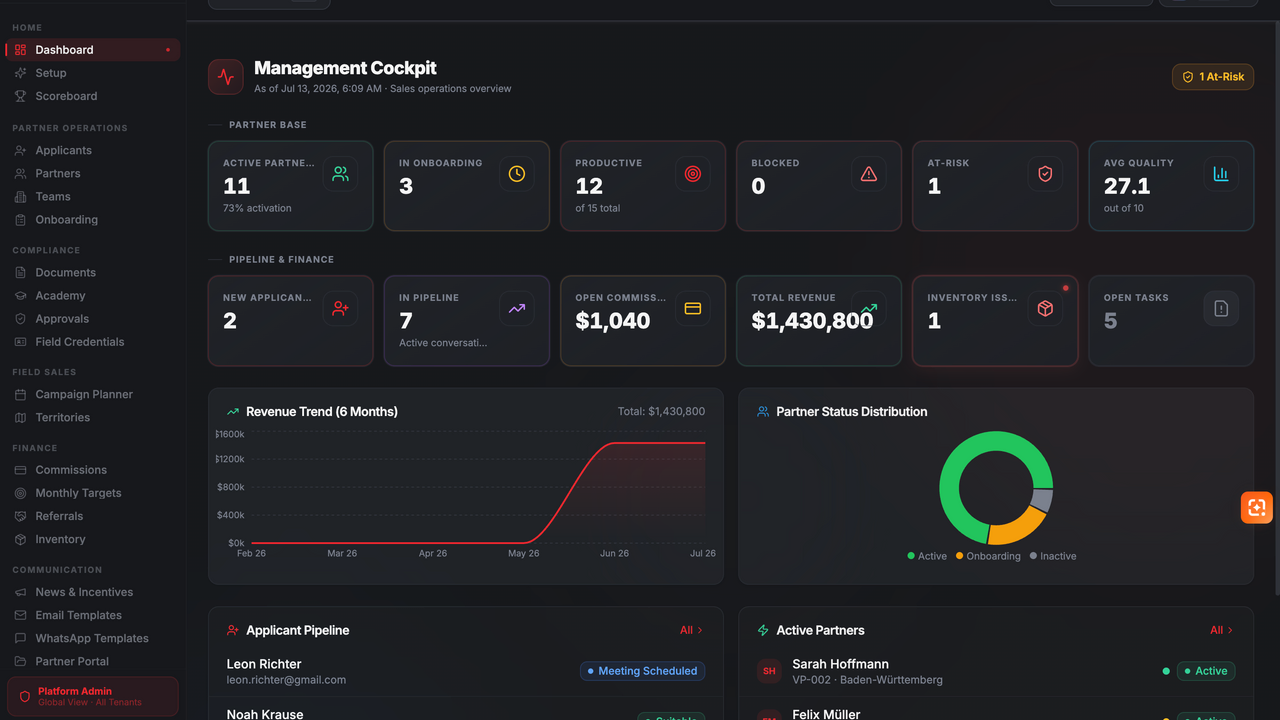
Sales Partner OS is a multi-tenant partner operations platform built for companies that manage independent sales partners, field sales teams, and complex partner networks. The platform covers the complete partner lifecycle — from applicant recruitment and structured onboarding to document verification, approvals, field operations, performance management, and commission processing. Role-specific dashboards provide executives, sales managers, back-office teams, team leaders, accounting staff, and sales partners with exactly the tools and information they need. Key features: Applicant management with recruiting pipeline and evaluation workflows Structured partner onboarding with checklists, contracts, and document verification Central partner, team, and territory management Product, channel, document, and commission approval workflows Field sales campaign planning, territory allocation, and digital credentials Commission calculation, payout tracking, referrals, and monthly targets Performance dashboards, scoreboards, quality metrics, and risk indicators Inventory and equipment assignment with complete history Partner academy, certificates, news, and incentive management Email and WhatsApp communication templates Role-based access control, audit logs, and tenant-separated data Dedicated partner portal and responsive user interface Sales Partner OS is ideal for direct sales organizations, field sales networks, agencies, energy and telecommunications sales teams, franchise-like partner structures, and companies that need to manage large partner networks through transparent and compliant processes. The template can be customized with individual branding, organizational roles, products, sales channels, approval processes, and tenant-specific configurations.

S. Thiele0 clones

Marketing & Sales · Operations +3

So, what are we building?

Start building